The Run Screen
Bu içerik henüz dilinizde mevcut değil.
AUTO is the screen a program runs on. Everything on it is a reading except the program
you choose and the keys along the bottom.
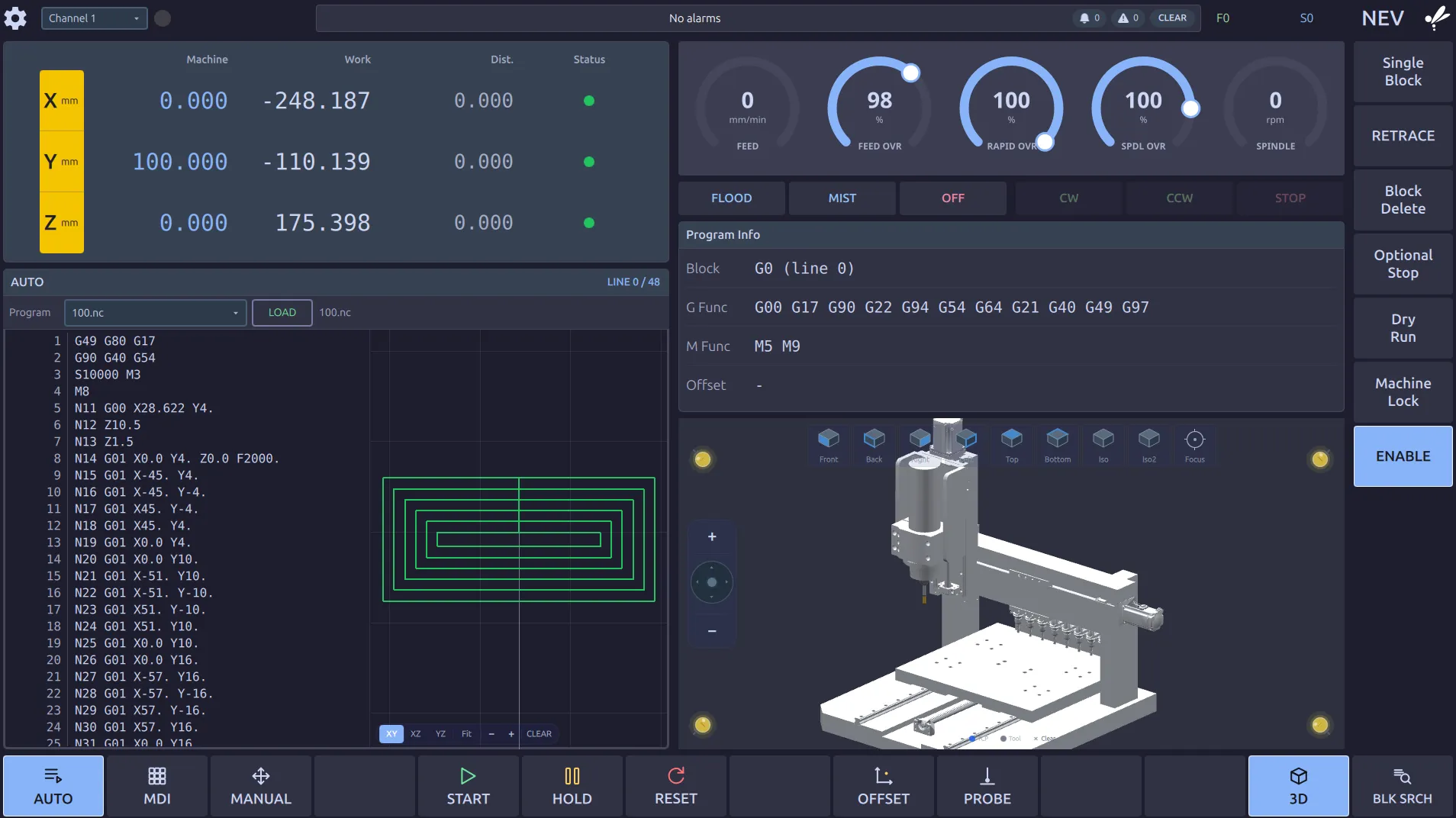
The three position columns
Section titled “The three position columns”Two of the three read differently for the same tool in the same place.
| Column | Is |
|---|---|
| Machine | where the axis is on the machine itself, from its home position |
| Work | where it is relative to part zero, the number the program is written in |
| Dist. | how much of the move it is on is still to go |
Work is the one to watch when you are cutting: Z in the Work column is depth into the
part. Machine is the one to quote when you talk about limits, safe heights or where the
tool changer is. Dist. counting down to zero is a move finishing.
The lamp in Status is that axis’s own condition: green is healthy and ready.
Program Info
Section titled “Program Info”What the control is doing right now, which is not always what the line you are looking at says:
- Block is the block being executed.
- G Func and M Func list every modal code currently in force. This is where to look
when the machine is behaving as though something is set that you did not set:
G91left over, the wrong work offset, a cycle still active. - Offset is the tool length and cutter compensation in force.
LINE 0 / 48 above the listing is how far through the program it is.
The listing and the path
Section titled “The listing and the path”The listing scrolls with the program, and the toolpath beside it draws what has been cut.
XY XZ YZ choose the view, Fit frames it, CLEAR wipes the drawn path.
The 3D view is the machine itself, drawn where it stands.
Feed, spindle and coolant
Section titled “Feed, spindle and coolant”The dials are covered in Overrides & Run Options.
FLOOD MIST OFF and CW CCW STOP are coolant and spindle by hand. A running
program commands these itself; these keys are for setting up and for clearing swarf.
CW and CCW turn the spindle at the last speed that was commanded, the S from the
program or from the last MDI block, scaled by the spindle override. To set it yourself,
type the speed in MDI:
S800 M03A spindle already turning keeps turning when you switch to MANUAL, so you can touch off with it running. Coming back to AUTO or MDI does not spin it up again on its own. That takes a cycle start.
Where to go next
Section titled “Where to go next”- Start, Feed Hold & Reset covers the keys along the bottom.
- Overrides & Run Options covers the switches down the right.