MDI
Bu içerik henüz dilinizde mevcut değil.
MDI runs G-code you type, without loading a program. Start the spindle, move to a known point, or call a tool:
T5 M06 (put tool 5 in the spindle)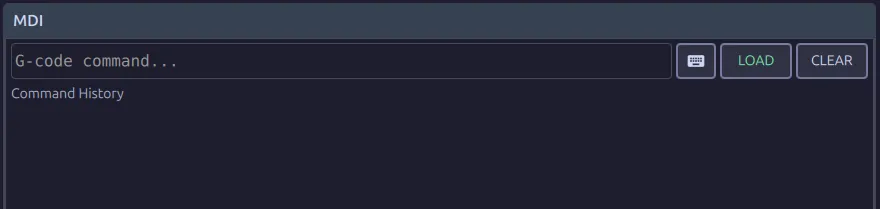
Type the block and press LOAD, or Enter. That loads it; it does not run it. Press
cycle start to run it, the same as any program.
The keyboard icon opens the on-screen keyboard if there is no keyboard at the panel.
Command History
Section titled “Command History”The blocks you load are kept, most recent first. Tap a line to put it back in the field. That is the usual way to repeat a tool change or a move you make all day.
CLEAR empties the history and the input field. It does not stop anything that is
running.
While a program is held
Section titled “While a program is held”You can use MDI with a program feed-held: start the spindle again, retract, blow the chips clear. The block runs on top of the held program, which stays exactly where it is and carries on when you release the hold.
Modal state is shared. A G91 or a G54 typed here is still in force when the
program resumes, and the program will not set it again if it set it before the block you
are stopped on. Put it back before you carry on.
Limits and leftovers
Section titled “Limits and leftovers”The machine must be referenced. Unlike jogging, MDI is refused on an unhomed machine.
What you type stays modal. A block that sets G91 or G54 leaves it set, and the
next program starts from there. This is the usual cause of a program that ran correctly
yesterday behaving differently today.
One submission at a time. Loading a new block replaces whatever was waiting and had not started.
Where to go next
Section titled “Where to go next”- Manual, Handwheel & Homing: moving without typing anything.
- G & M Code List: what you can type here.