Part Zero with a Probe
These are the cycles you use on every job. Each one finds a feature and writes the active work offset, so when the cycle finishes the datum is set.
Position the probe first: near the feature, at the depth it should touch, and clear of anything on the way. The control moves from where you put it.
Surface
Section titled “Surface”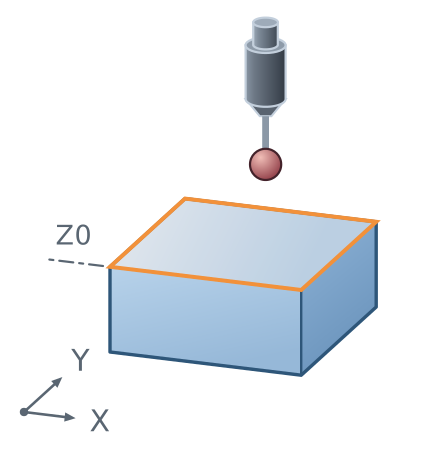
Finds the top face and sets Z. Position the probe above the surface and run it.
The most common first step on any job: the top of the part becomes Z0.
Edge in X
Section titled “Edge in X”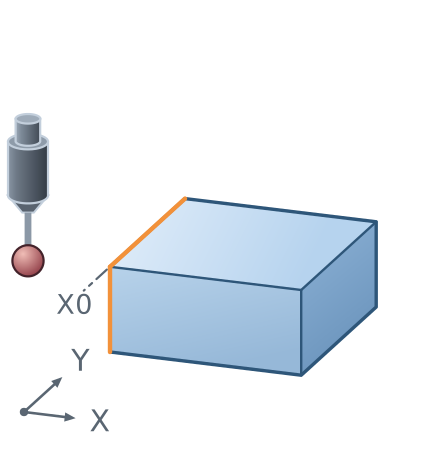
Finds a vertical face and sets X. Position the probe at probing depth, beside the edge and clear of it.
The cycle probes toward the face, and the datum lands on the face, not on the trigger point. The stylus radius is taken off for you.
Edge in Y
Section titled “Edge in Y”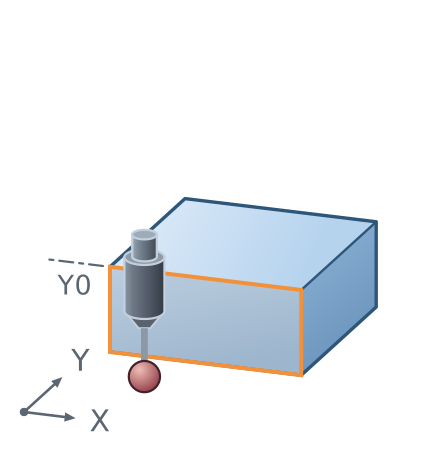
The same, in Y.
Bore centre
Section titled “Bore centre”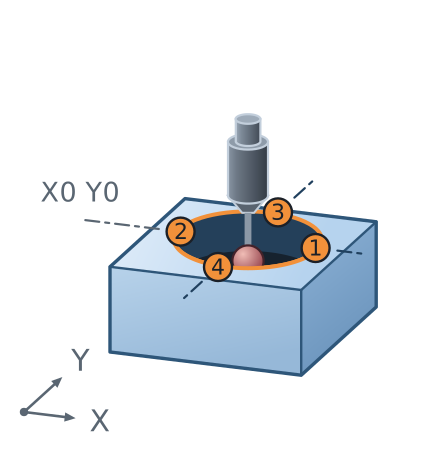
Finds the centre of a hole and sets X and Y. Drop the probe roughly into the bore, at a depth where it can touch wall all the way round, and run it.
Four touches, one on each side. The centre is the middle of what it found, so a bore that is not round still gives you the middle of the two diameters it measured.
Part centre
Section titled “Part centre”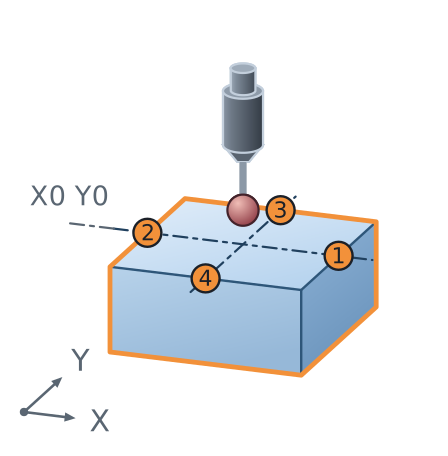
Finds the centre of a rectangular part and sets X and Y. Position the probe roughly over the middle, above the part, and run it.
The probe reaches out to each of the four faces in turn and takes the middle. Use it when the datum is the middle of the billet rather than a corner of it.
Which one to use
Section titled “Which one to use”| The datum is | Use |
|---|---|
| the top face | Surface |
| one side | Edge in X or Edge in Y |
| the middle of a hole | Bore centre |
| the middle of the billet | Part centre |
If a cycle does not touch
Section titled “If a cycle does not touch”The cycle stops and reports it, rather than carrying on with a number it does not have. It usually means the probe was started too far from the feature, or pointed the wrong way.
Reposition and run it again. Nothing has been written.
Where to go next
Section titled “Where to go next”- Calibration, for why an uncalibrated probe finds every edge in the wrong place.
- Tool & Work Offsets, where these cycles write.