Production Counts
PRODUCTION holds two numbers that answer two different questions: how this job is going,
and what this machine has done since it was built.
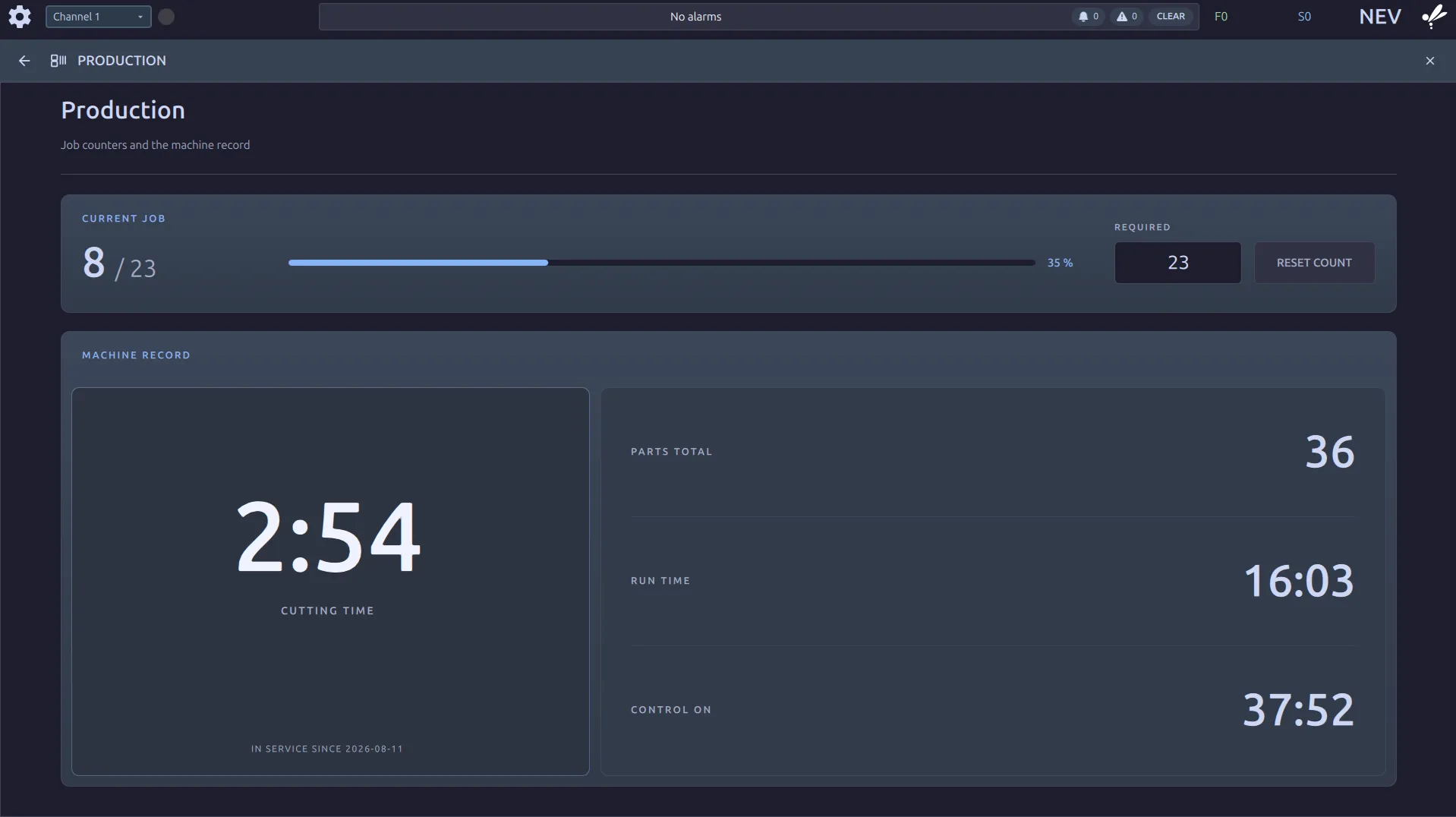
Current job
Section titled “Current job”8 / 23 is parts made against parts wanted. The count goes up when a program reaches
M02 or M30, a real program end, not a block run from MDI. A run you reset out of
does not count.
REQUIREDis the target. Type the number you are making.RESET COUNTclears the parts made, back to zero.
The two are separate on purpose: setting a new target does not clear the parts you have already made, and resetting the count does not lose the target you typed.
Machine record
Section titled “Machine record”This is the machine’s odometer, and it is not resettable. RESET COUNT is the job
counter only; nothing on this screen clears the record.
| Reading | Is |
|---|---|
| Cutting time | hours with the tool actually in the cut |
| Run time | hours with a program running |
| Control on | hours the control has been powered |
| Parts total | every part this machine has made |
| In service since | the day it started counting |
Cutting time against run time is how the machine spends its day: run time includes every rapid, tool change and dwell, cutting time does not.
Where to go next
Section titled “Where to go next”- Status Monitor: the same job, seen from across the shop.